What are bleed and safety margins?
Bleed is extending any color, photo, or design elements past the cut line. Our print shop trims printed pieces in stacks of hundreds of sheets at a time. This is much faster than trimming individual pieces, at the cost of a little accuracy. Bleed gives the print shop a margin of error when trimming, so that if the cut is a little off, the white of the paper won’t show along the edge.
Example of a poster being cut, note that some of the art is trimmed off to ensure there is not a white edge.
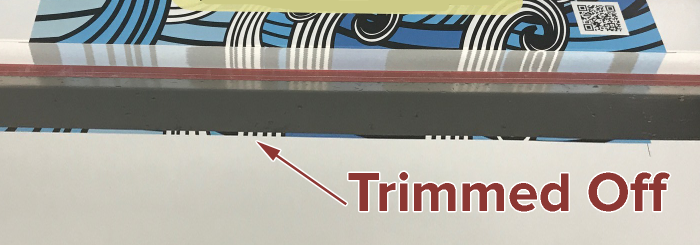
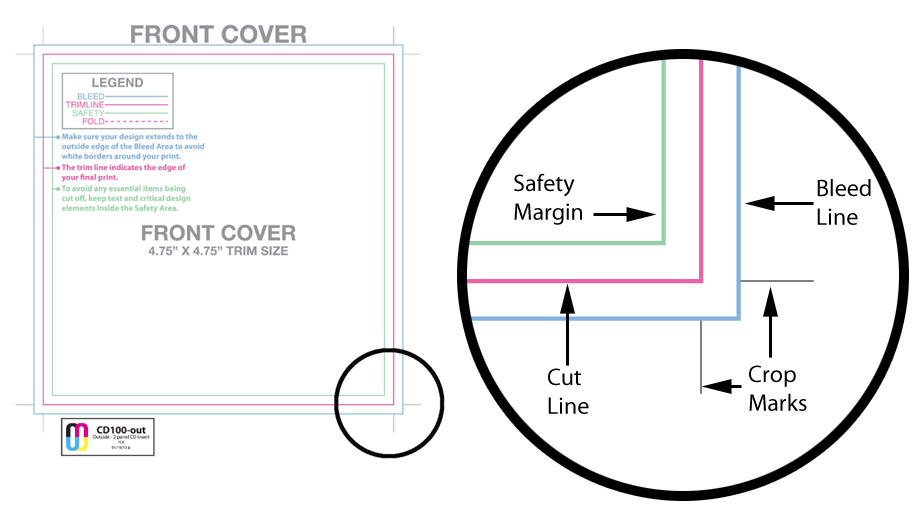
We request you add 1/8-inch of bleed to your layouts. Each template has guidelines set up so you can see exactly how much bleed you need to add to your layouts. These are generally the outermost guides.
Safety margin is the opposite of bleed. If you put important information such as a song title or an important part of a photo right up against the crop line, some of it may get cut off. We recommend that you keep your type and other important elements 1/8" inside the crop marks. Each template has guidelines set up so you can see exactly how much safety margin to allow. These are generally the innermost guides.
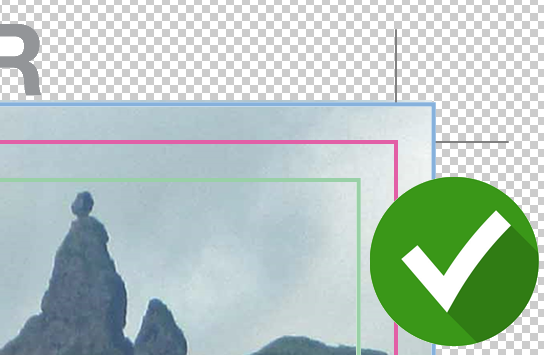
Close up of a template showing the bleed and safety lines.
Examples:
Bleed
In this example, there is no bleed in the design. The background image stops at the cut line.
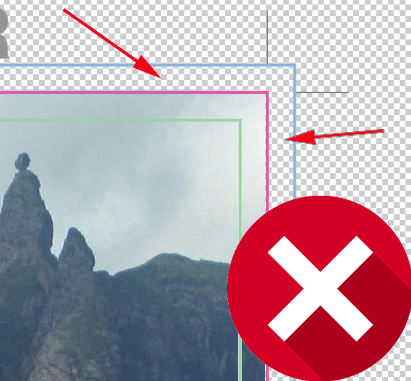
During the production process, when hundreds of printer sheets are stacked up and cut down to size, the blade may miss the mark a bit and the finished item may show some white, unprinted paper.
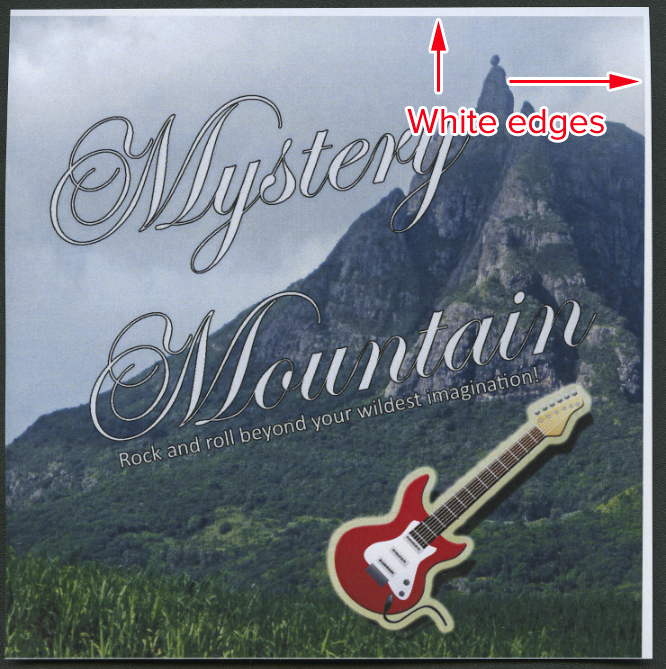
You are going to want your background image / color to extend passed the pink cut line all the way to the blue bleed line.
Safety Margins
In this example, there is enough bleed BUT elements of the design fall outside the safety margin. Much like not having enough bleed, if elements fall outside the safety margin they run the risk of being trimmed off during the production process.
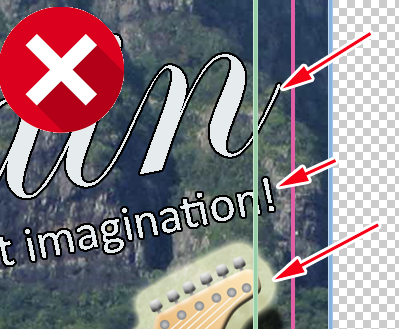
During the production process, when hundreds of printer sheets are stacked up and cut down to size, the blade may miss the mark a bit and the finished item may have some importent elements trimmed off.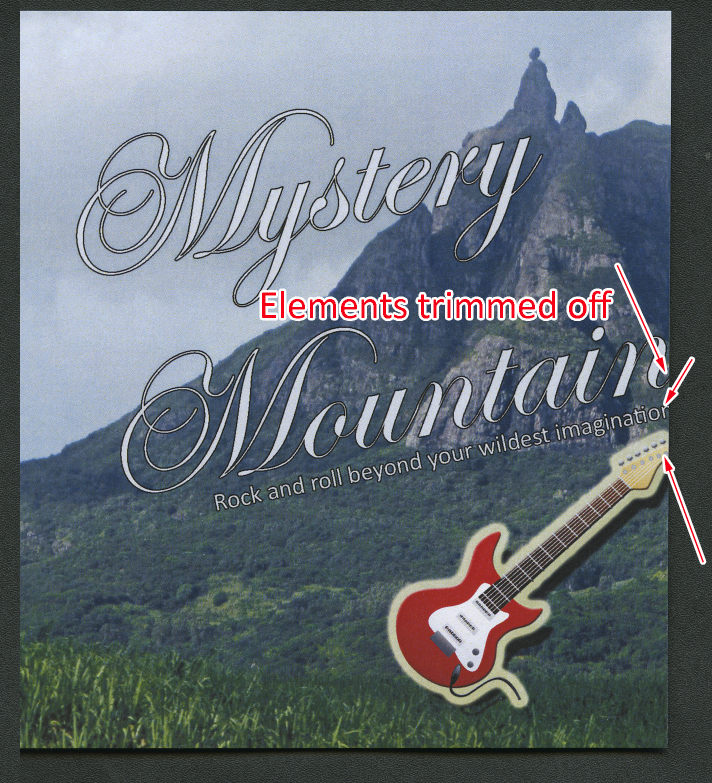
To prevent any important elements (Titles, text, icons, graphics, etc.) are NOT trimmed off, make sure those are inside the green safety margin.